
NEAR Intents

Welcome to the NEAR Intents Docs

1-Click Swap API

Request quotes, execute cross-chain swaps, and track their status.

Quickstart ->

Learn More ->

# Query supported tokens
curl https://1click.chaindefuser.com/v0/tokens

# Request a quote
curl -X POST https://1click.chaindefuser.com/v0/quote \
  -H "Content-Type: application/json" \
  -H "Authorization: Bearer YOUR_JWT_TOKEN" \
  -d '{
    "swapType": "EXACT_INPUT",
    "originAsset": "nep141:wrap.near",
    "depositType": "ORIGIN_CHAIN",
    "destinationAsset": "nep141:arb-0x912ce59144191c1204e64559fe8253a0e49e6548.omft.near",
    "amount": "100000000000000000000000",
    ...
  }'
// Query supported tokens
const tokensResponse = await fetch('https://1click.chaindefuser.com/v0/tokens');
const tokens = await tokensResponse.json();

// Request a quote
const quote = await fetch('https://1click.chaindefuser.com/v0/quote', {
  method: 'POST',
  headers: {
    'Content-Type': 'application/json',
    'Authorization': 'Bearer YOUR_JWT_TOKEN'
  },
  body: JSON.stringify({
    swapType: 'EXACT_INPUT',
    originAsset: 'nep141:wrap.near',
    depositType: 'ORIGIN_CHAIN',
    destinationAsset: 'nep141:arb-0x912ce59144191c1204e64559fe8253a0e49e6548.omft.near',
    amount: '100000000000000000000000',
    // ...
  })
});
const result = await quote.json();
import requests

# Query supported tokens
tokens_response = requests.get('https://1click.chaindefuser.com/v0/tokens')
tokens = tokens_response.json()

# Request a quote
quote = requests.post(
  'https://1click.chaindefuser.com/v0/quote',
  headers={
    'Content-Type': 'application/json',
    'Authorization': 'Bearer YOUR_JWT_TOKEN'
  },
  json={
    'swapType': 'EXACT_INPUT',
    'originAsset': 'nep141:wrap.near',
    'depositType': 'ORIGIN_CHAIN',
    'destinationAsset': 'nep141:arb-0x912ce59144191c1204e64559fe8253a0e49e6548.omft.near',
    'amount': '100000000000000000000000',
    # ...
  }
)
result = quote.json()

AI Agent Skills: npx skills add near/agent-skills --skill near-intents
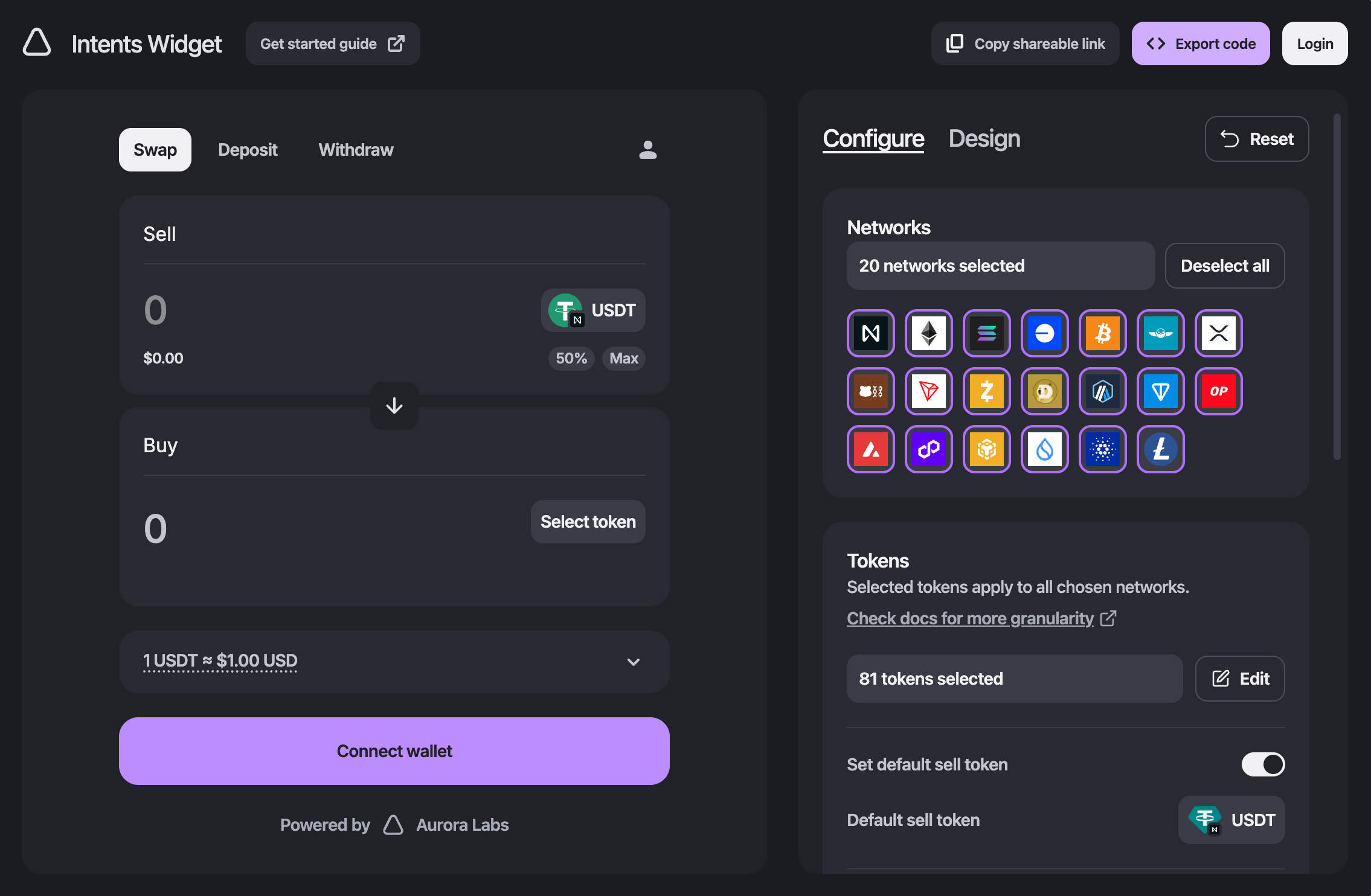
Swap Widget UI

React Widget

Integrate a customizable, cross-chain swap interface into your app with just a few lines of code.

Learn More ->

SDK Libraries

Use SDKs for TypeScript, Go, and Rust to request quotes, submit deposits, and monitor execution status.

Learn More ->

import { OpenAPI, OneClickService } from '@defuse-protocol/one-click-sdk-typescript';

OpenAPI.TOKEN = 'YOUR_JWT_TOKEN';

const tokens = await OneClickService.getTokens();
console.log(tokens.length);
configuration := openapiclient.NewConfiguration()
apiClient := openapiclient.NewAPIClient(configuration)

tokens, _, err := apiClient.OneClickAPI.GetTokens(context.Background()).Execute()
if err != nil {
  panic(err)
}
use one_click_sdk_rs::apis::one_click_api;
use one_click_sdk_rs::apis::configuration::Configuration;

let config = Configuration::default();
let tokens = one_click_api::get_tokens(&config).await?;
println!("{}", tokens.len());

Browse By Topic

API Quickstart

Execute your first cross-chain swap in minutes.

React Widget

Embed a customizable swap UI with a ready-to-use React component.

Swap Libraries

Build with TypeScript, Go, and Rust SDKs for typed API integration.

What are intents?

Learn how the protocol works and core concepts.

Market Makers

Provide liquidity by fulfilling cross-chain swap intents.

Verifier Contract

Interact with the smart contract for custom integrations.